GTA 6 is out on 19 November on PS5 and Xbox Series X|S. You're going to stream it, and at some point your chat is going to lose it. That moment shouldn't stay buried in a four-hour VOD.
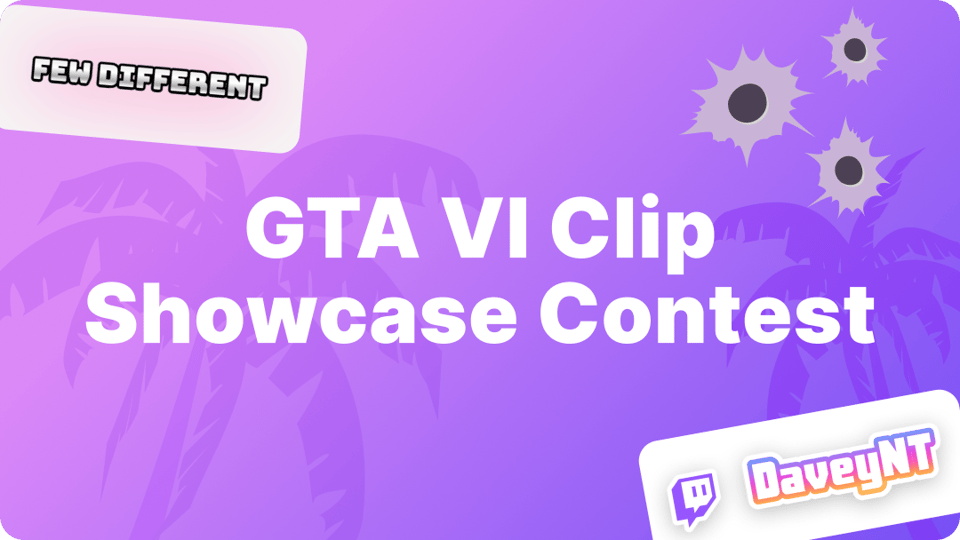
So we're running the GTA VI Clip Showcase Contest. For four weeks, post your GTA 6 clips through StreamLadder for a chance to win a prize and get your clip in front of our followers.
The short version
- Sign up for the contest on your dashboard: Join the contest
- Post a GTA 6 clip to TikTok, YouTube Shorts or Instagram Reels through the StreamLadder scheduler, with #streamladdergta6 in the caption.
- Share it in our Discord contest channel for extra points. This step is optional.
How to enter
Three steps, done in a minute.
- Sign up for the contest. Open your StreamLadder dashboard and join the contest. New to StreamLadder? Create an account and start your free 7-day trial. You need it to post through the scheduler, it includes every feature, ClipGPT too, and you can cancel anytime.
- Make a clip of your GTA 6 stream and post it through StreamLadder. Schedule it to TikTok, YouTube Shorts or Instagram Reels with the Content Publisher, and add #streamladdergta6 to the caption. Only clips posted through our scheduler count, and the hashtag is how we find your entry.
- Share it on Discord for extra points. Drop your clip in the contest channel on our Discord. It's optional, but it earns extra points, and it's where we announce the winners.
When it runs and how winners are picked
The contest runs from Thursday 19 November until Thursday 17 December 2026 at 16:00 CET (15:00 UTC).
Every Thursday for four weeks, our team picks 3 winners: on 26 November and 3, 10 and 17 December. That's 12 winners in total. We announce them in the contest channel on Discord.
What you can win
Every winner gets one prize, one of these three:
- Your clip promoted on StreamLadder's socials
- A StreamLadder merch drop
- 1 month free on a StreamLadder subscription
We also feature entries on our socials several times a week, winner or not. By entering, you give us permission to feature your clip.
Get clips from your GTA 6 streams
Streaming on Twitch? Turn on Store Past Broadcasts in your Stream Settings. After your stream, paste the link into ClipGPT in the StreamLadder app or on our website.
Playing on PS5? Set Video Clip Format to MP4 first. Then press Create, pick Save Recent Gameplay and send the clip to your phone with the PlayStation App. Every step, from the settings to change before launch night to posting, is in our guide on how to clip on PS5.
Tips for a GTA 6 clip that gets watched
- Let ClipGPT do the clipping. Paste the link to your Twitch or Kick VOD into ClipGPT and get back up to 30 fully edited vertical clips with captions, ready to post. It doesn't just grab gameplay moments for you to sort through: it picks the clips it thinks will get views on social media.
- Post your highest virality score first. Every ClipGPT clip gets a virality score from 0 to 100 that tells you how likely it is to get views. Start with the top one.
- Looking for one moment? Search for it. With Find clips, type what happened, like "chat losing it", and ClipGPT finds it in your stream.
- Hook them in the first two seconds. Start on the chaos, not the build-up. Viewers decide fast whether to keep watching.
- Use the new Heist captions. Lots of people scroll with the sound off, so captions keep them watching. The new Heist caption style in the clip editor makes them look the part.
- Add a Social Sticker. The new animated GTA VI Social Stickers sit at the top of the sticker list in the clip editor. They show your channel name, so new viewers know where to find you.
- Post every week, and check the hashtag. Winners are picked weekly, so spread your clips across the four weeks in the Content Publisher and let StreamLadder pick the posting times. ClipGPT adds hashtags to every clip, so add #streamladdergta6 before you schedule.
- Share your schedule in launch-week style. Schedule Maker has three new schedules for launch week. Pick one and your Twitch schedule fills itself in.
Ready to play?
Join the contest and post your first clip with #streamladdergta6. Then come hang out on our Discord. Share your clips, see what other streamers are making and be there when we announce the winners: Join the StreamLadder Discord.
Happy clipping!
StreamLadder is not affiliated with or endorsed by Rockstar Games or Take-Two Interactive.