ClipGPT: The Best AI Stream Clipper for TikTok, Reels & Shorts
Use our AI Auto Clipper to turn Twitch, Kick, and YouTube streams into fully edited TikToks and Shorts instantly. Paste a VOD link or upload your stream to find viral highlights in seconds.
ClipGPT
ClipGPT features
Paste a VOD. Get clips ready to post.
The AI finds your highlights, crops to vertical, adds captions, and ranks by virality - all automatically.
AI Clipping
ClipGPT analyzes your entire VOD and surfaces the best moments, ranked by virality potential. Optionally, say "clip that" while streaming to mark your own too.
Virality Score
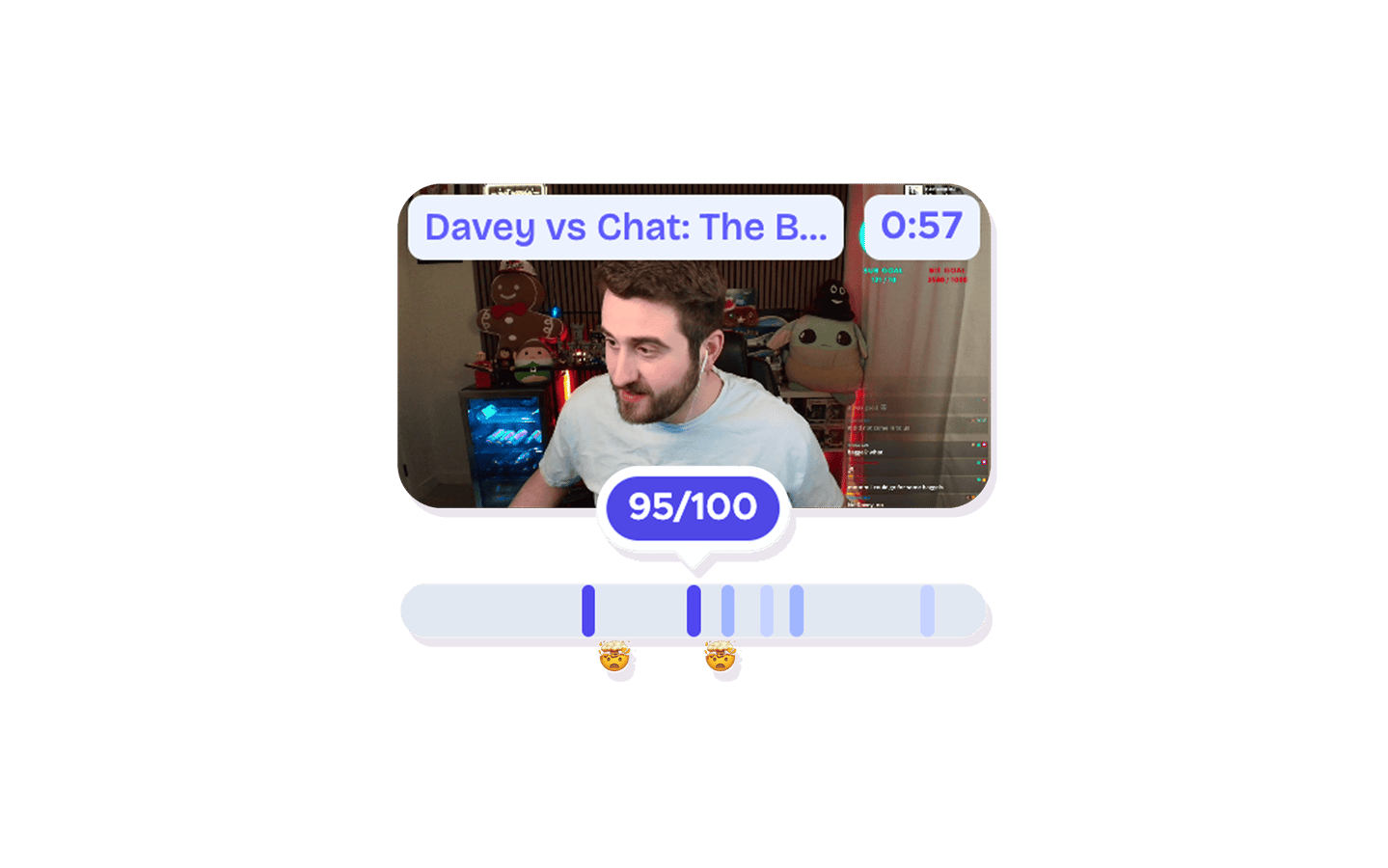
Every detected moment gets a score from 0–100. Know which clips are worth posting before you spend time editing them.
Auto Crop to Vertical
Detected moments are automatically trimmed and cropped to 9:16 - ready for TikTok, Reels, and Shorts.
Facecam Detection
AI finds your webcam in the frame and keeps your face perfectly positioned in every vertical crop - no manual adjustments.
Auto Captions & Hashtags
Captions are transcribed, synced word-by-word, and styled automatically. Trending hashtags and hook titles are generated too.
Transcript Search
Search your entire stream for any word or phrase. Click a result to jump to that exact moment and clip it instantly.
Pick your platform
ClipGPT works with every major streaming platform. Paste a Twitch or Kick VOD link, or Upload your YouTube stream.
From a 6-hour stream to a week of content in minutes
As a powerful AI Auto Clipper, ClipGPT analyzes your entire VOD to pinpoint the moments worth posting, whether you stream on Twitch, Kick, or YouTube. Simply paste a link or upload a file and let the AI identify engaging chat interactions, intense highlights, or chaotic reactions. Every detected clip is assigned a Virality Score so you can prioritize the content most likely to grow your audience.
Instead of scrolling through hours of footage, let ClipGPT rank your highlights while you stay live or take a break. You get a curated list of fully edited clips that are ready to post or fine-tune.
The AI doesn't just find clips: it builds them. Every highlight is automatically cropped to vertical with your facecam framed, including full support for V-Tubers. It syncs animated captions to your voice, giving you the freedom to use suggested styles or save your own custom branding for a consistent look.
Want to flag moments yourself? Optionally say "clip that" while streaming and those moments are edited and ready too. Pick your favorites, tweak the details, and schedule everything to TikTok, Reels, and Shorts from one place. You can even let the AI compile your highlights into a YouTube video, keeping your entire content strategy inside StreamLadder.
ClipGPT
How ClipGPT works
Paste your VOD link and let the AI do the rest. Clips are ready to edit and post in minutes.
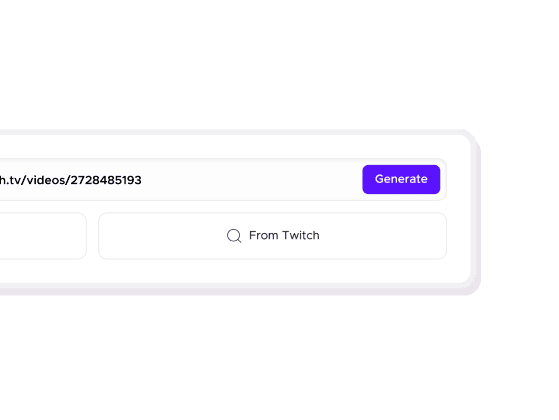
01

Paste your VOD link or upload a file
Drop a Twitch or Kick VOD URL, or Upload your YouTube stream. ClipGPT imports your stream in the background.
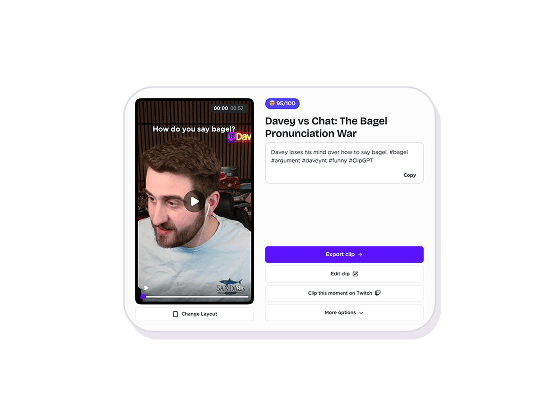
02
AI finds your highlights
ClipGPT detects the moments worth sharing and ranks them by virality potential.
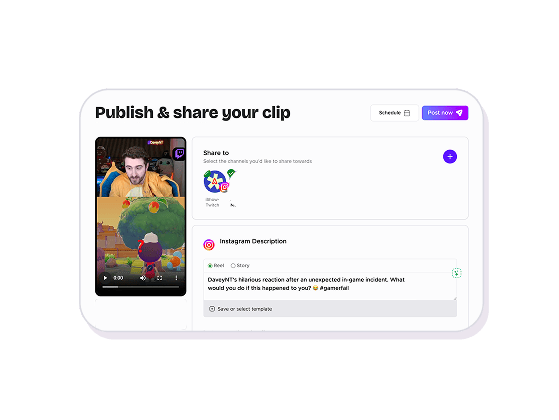
03
Export and go viral
Crop to vertical, add captions, and publish directly to TikTok, Reels, and Shorts - all in one tool.
AI Clipping
Every platform. Every format. One AI.
The Ultimate AI Twitch Clip Generator
Stop scrubbing through hours of footage. ClipGPT acts as your personal Twitch AI clip maker, automatically finding the moments worth sharing from your VODs.
An AI Clipping Software Built for Every Platform
Whether you stream on Twitch, Kick, or YouTube, our AI finds your best moments and turns them into ready-to-post highlights. Paste a VOD link or Upload your YouTube stream.
Predict Views with the AI Virality Score
Not all clips are created equal. ClipGPT ranks your Twitch, Kick, and YouTube clips by virality potential - so you always post the ones most likely to perform.
Explore ClipGPT features
11 million clips made by 1 million streamers
Real clips made by real creators using StreamLadder - totalling over a hundred million views.
AhmetZone
Kai Standing Next To Basketball Players
@SomethingAboutChickens
Something About Chickens
Original sound · SomethingAboutChickens
AhmetZone
LIL BRO
@Stormwynne
EVIL DEER - Pumpkin Panic
Original sound · Stormwynne
JKPlays
guess my IQ
@Bobby Plays
COD Points the cheap way
Original sound · Bobby Plays
TheJuiceDen
xQc Reacts to LEGO Car VS. Growing Wall
Ubietoo
Greatest goal ever scored
Original sound · Ubietoo
TheJuiceDen
Divorce any% Speedrun
@Payzren
Mistaken for a voice actor
Original sound · Payzren
AsmonEnjoyer
Girls Cosplays VS Boys Cosplays
@Shaafes_
Hilarious Extraction Fail
Original sound · Shaafes_
AhmetZone
Kai Standing Next To Basketball Players
@SomethingAboutChickens
Something About Chickens
Original sound · SomethingAboutChickens
AhmetZone
LIL BRO
@Stormwynne
EVIL DEER - Pumpkin Panic
Original sound · Stormwynne
JKPlays
guess my IQ
@Bobby Plays
COD Points the cheap way
Original sound · Bobby Plays
TheJuiceDen
xQc Reacts to LEGO Car VS. Growing Wall
Ubietoo
Greatest goal ever scored
Original sound · Ubietoo
TheJuiceDen
Divorce any% Speedrun
@Payzren
Mistaken for a voice actor
Original sound · Payzren
AsmonEnjoyer
Girls Cosplays VS Boys Cosplays
@Shaafes_
Hilarious Extraction Fail
Original sound · Shaafes_
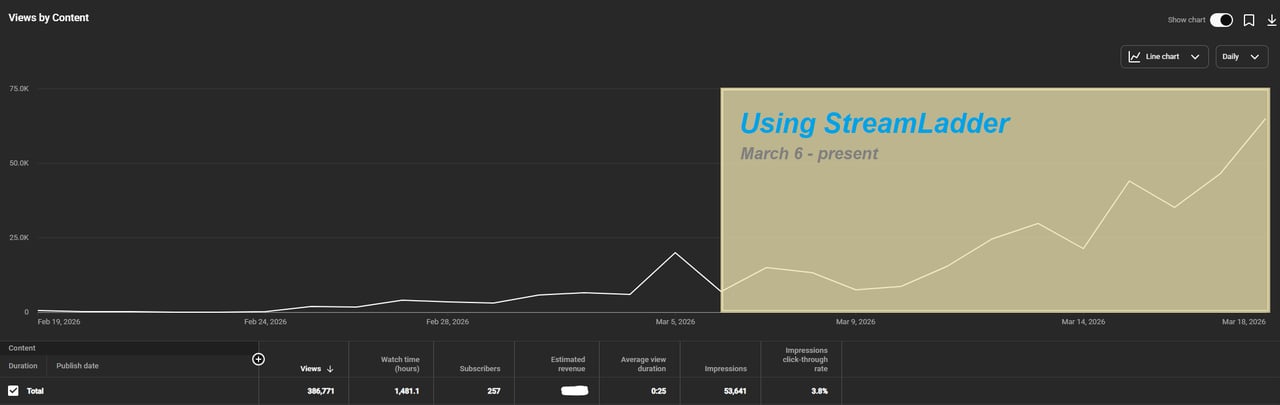
"StreamLadder's ClipGPT actually knows what clips will go viral. 48% of my sub growth from shorts was within just the last 2 weeks."


Dmack_3D
Bokaj392
SmoothestMango
Vohan

Supersonic540
NotAllergicToShrimp
that_noel
MADeightysix
Roman Gambit

Loïc Lacourt - Lo_Level31

BigTaffMan

JibbletGibbler
Richatat

Kanchi64

BigBadWolf19722
nathan_the_mad
KatsforKiowa
Da_Gipfla

killadillag_tav

Dennabeast

RealMikeTheVike
https://youtube.com/@sidechopper
BIGEXAMPL

HistoryGangster
PunkRockNova
ItsJustFreshh
Bia Bunny

Christopher Dutcher
Crunchess
daizy
Damond Rickson
RiotEmpress
Nixie

KeithLovesGaming
daizy
kevin laderriere
Rulaxalt

Metaodos

Echozday
zerofaith/kick.com
ZBMBLive

https://www.twitch.tv/bsc_rio
twitch.tv/masterjoful

youtube.com/thestizzness
tiktok.com/@captainquain
DoubleNexus
https://www.twitch.tv/itzbuddytv
https://www.twitch.tv/dice_gaminggbr
Twitch.tv/daddymacgaming50474
www.twitch.tv/ishigonite
Dmack_3D
Bokaj392
SmoothestMango
Vohan
Supersonic540
NotAllergicToShrimp
that_noel
MADeightysix
Roman Gambit
Loïc Lacourt - Lo_Level31
BigTaffMan
JibbletGibbler
Richatat
Kanchi64
BigBadWolf19722
nathan_the_mad
KatsforKiowa
Da_Gipfla
killadillag_tav
Dennabeast
RealMikeTheVike
https://youtube.com/@sidechopper
BIGEXAMPL
HistoryGangster
PunkRockNova
ItsJustFreshh
Bia Bunny
Christopher Dutcher
Crunchess
daizy
Damond Rickson
RiotEmpress
Nixie
KeithLovesGaming
daizy
kevin laderriere
Rulaxalt
Metaodos
Echozday
zerofaith/kick.com
ZBMBLive
https://www.twitch.tv/bsc_rio
twitch.tv/masterjoful
youtube.com/thestizzness
tiktok.com/@captainquain
DoubleNexus
https://www.twitch.tv/itzbuddytv
https://www.twitch.tv/dice_gaminggbr
Twitch.tv/daddymacgaming50474
www.twitch.tv/ishigonite
FAQ
Frequently asked questions
You can try ClipGPT completely free for 7 days. Generate clips, test the virality score, and export to TikTok without paying a dime during your trial.
ClipGPT analyzes your entire VOD and finds the most engaging moments - funny reactions, chat interactions, intense highlights, and anything likely to perform on socials. Each clip gets a virality score so you know exactly which ones to post.
ClipGPT works with Twitch, Kick, and YouTube. Paste a Twitch or Kick VOD link directly, or Upload your YouTube stream file. Clips export ready for TikTok, Instagram Reels, and YouTube Shorts.
No manual editing required. Clips open already trimmed and cropped to 9:16, with animated captions and hashtags generated automatically. You can make adjustments in the editor, but most clips are post-ready straight from ClipGPT.
Every clip ClipGPT detects gets scored from 0 to 100 based on its viral potential - so you always know which moments are worth posting before you spend time on them.
Yes, optionally. ClipGPT already finds your best moments automatically, but if you want to flag one yourself, just say "clip that" or "clip this" out loud - when you process the VOD, those moments come out fully edited alongside the auto-detected highlights.