Turn any Twitch clip into a channel emote
Paste a clip URL or upload a video, scrub to the perfect frame, and preview it in Twitch Chat before you save. No Photoshop needed.
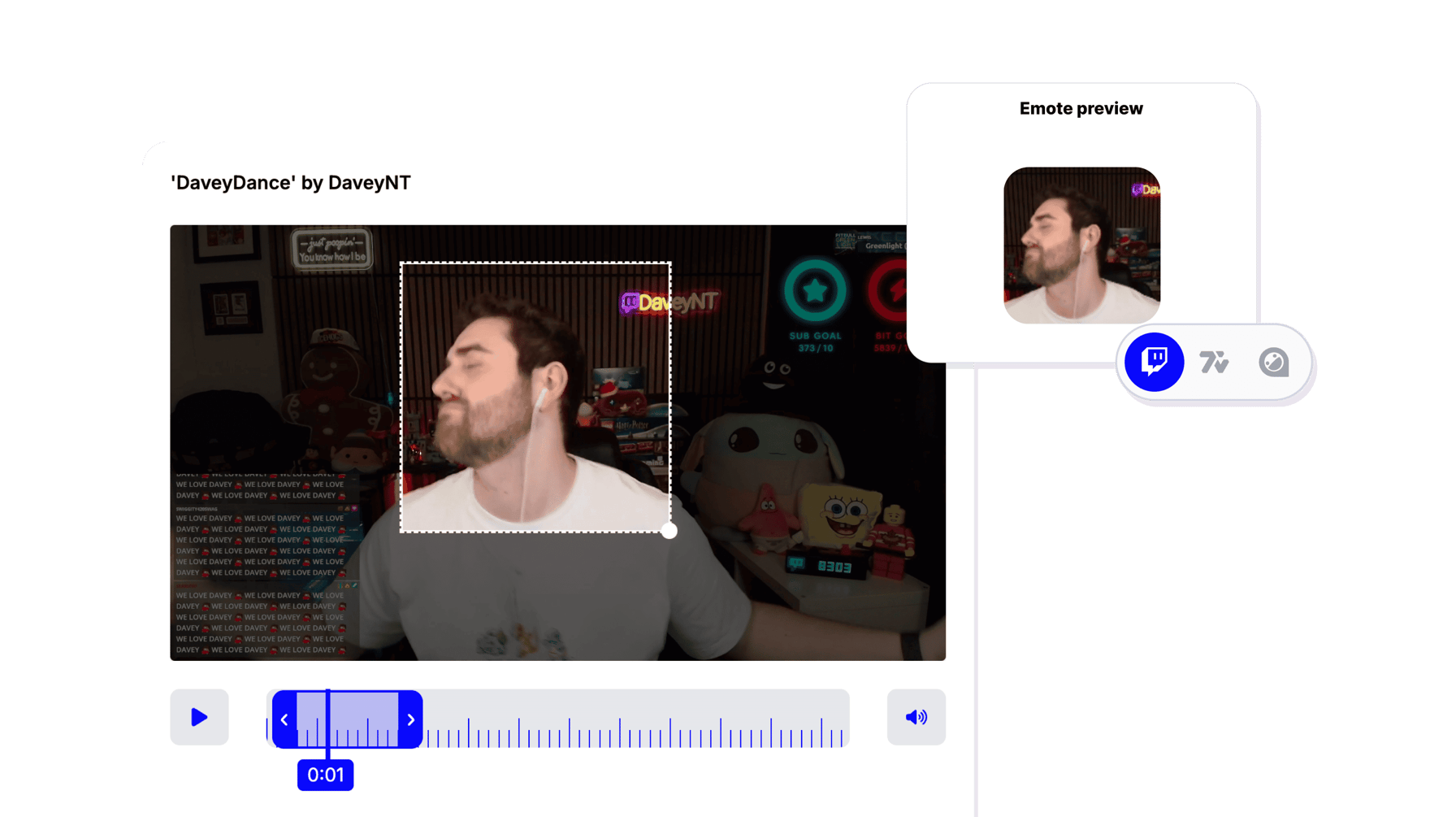
Create Emote
Turn your best stream moments into chat emotes
Your best stream moments deserve to live on as emotes. Paste a Twitch clip URL or upload any video, scrub through the footage, and pick the exact frame that captures the reaction, the joke, or the play your community will spam in chat.
No Photoshop. No drawing. No layers. You just find the frame and StreamLadder turns it into a ready-to-upload emote. Export it in every size Twitch, 7TV, and BTTV require.
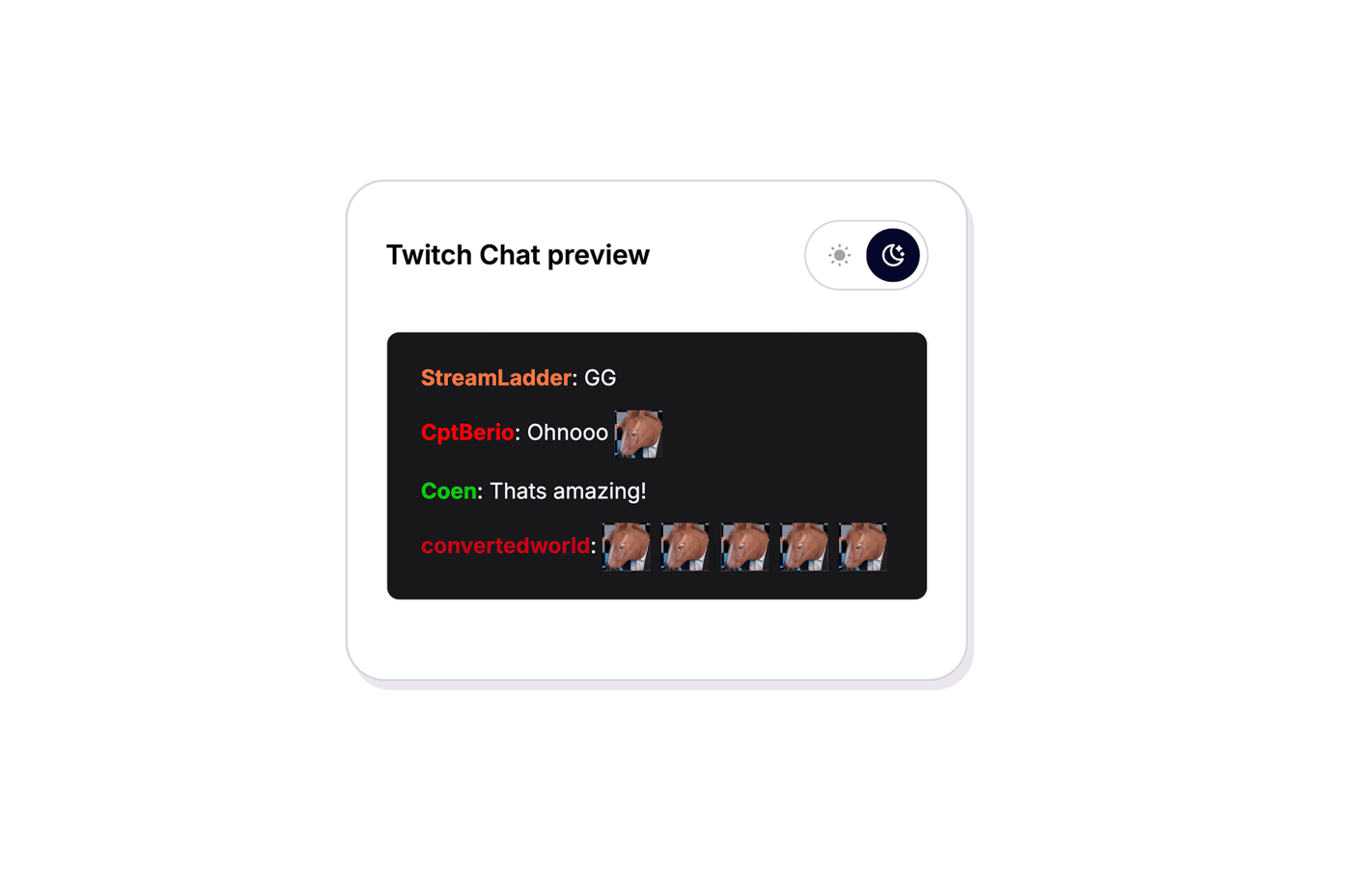
Preview your emote in a live Twitch Chat mock-up before you save - both light and dark mode - so you know it reads well at chat size. No surprises after uploading.
Once your emote is ready, use it as a sticker in the Clip Editor to add it to your video clips. Build a library of custom emotes from your funniest moments and keep your community engaged.
Create Emote
How to create an emote
Find the frame, preview in chat, export.
01

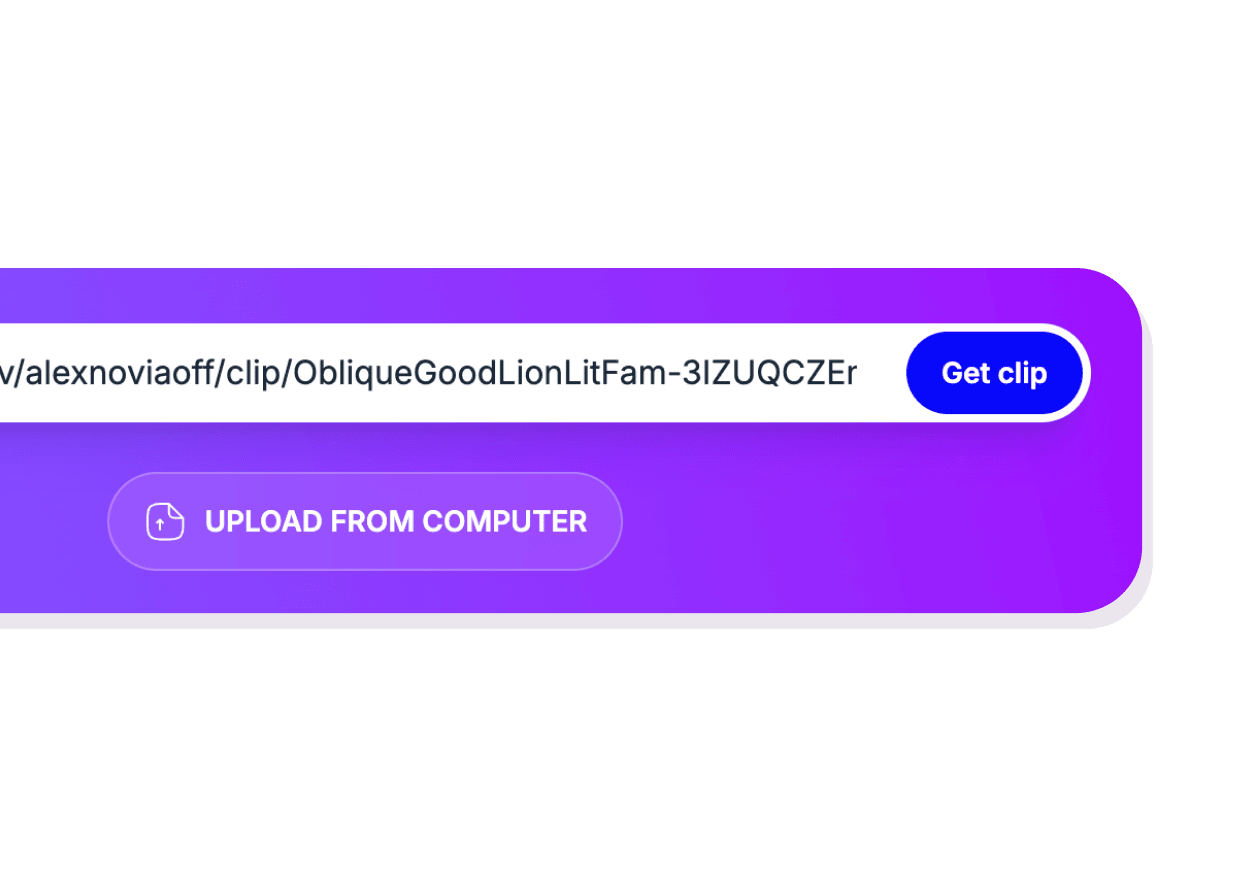
Add your clip
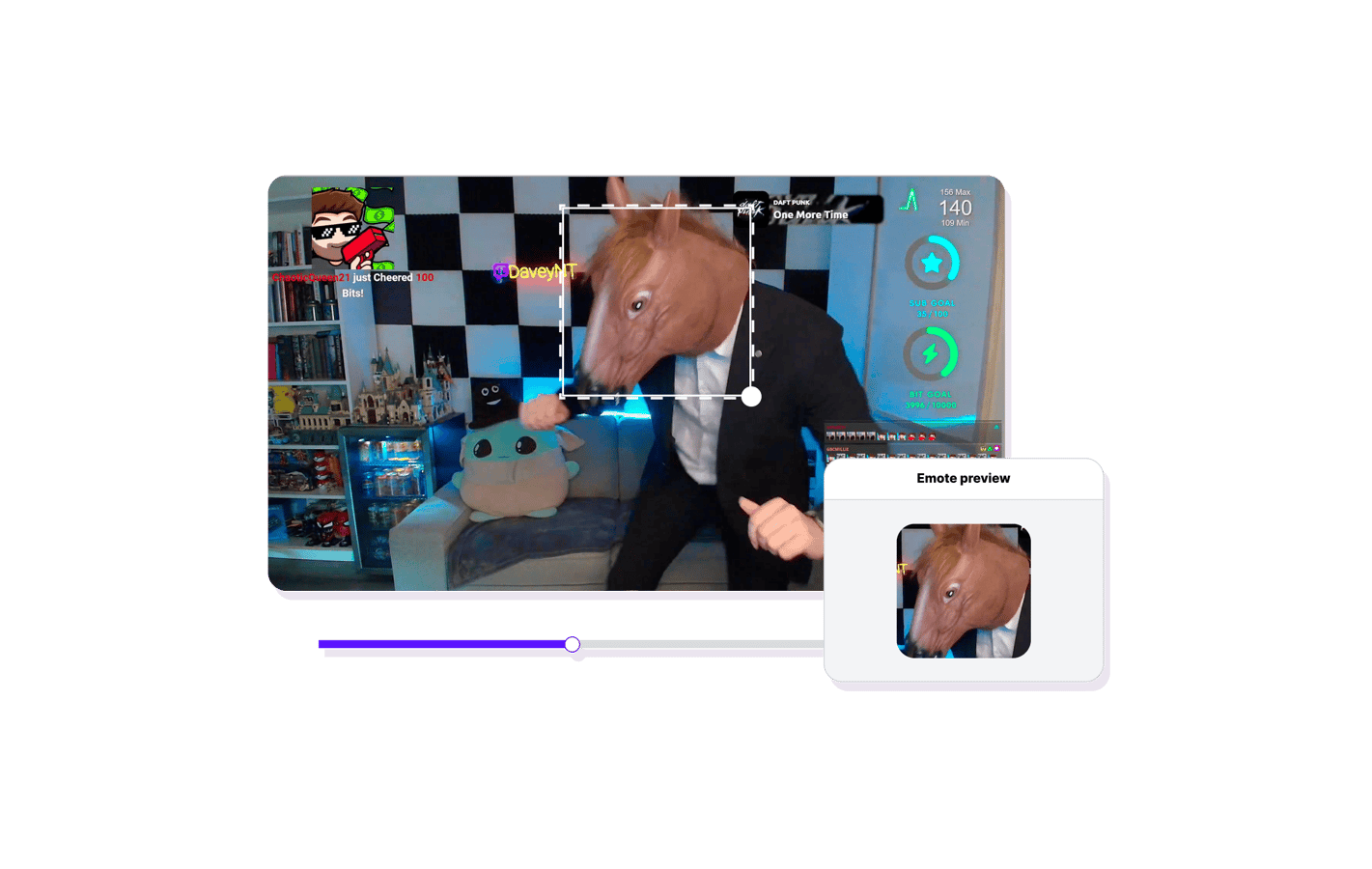
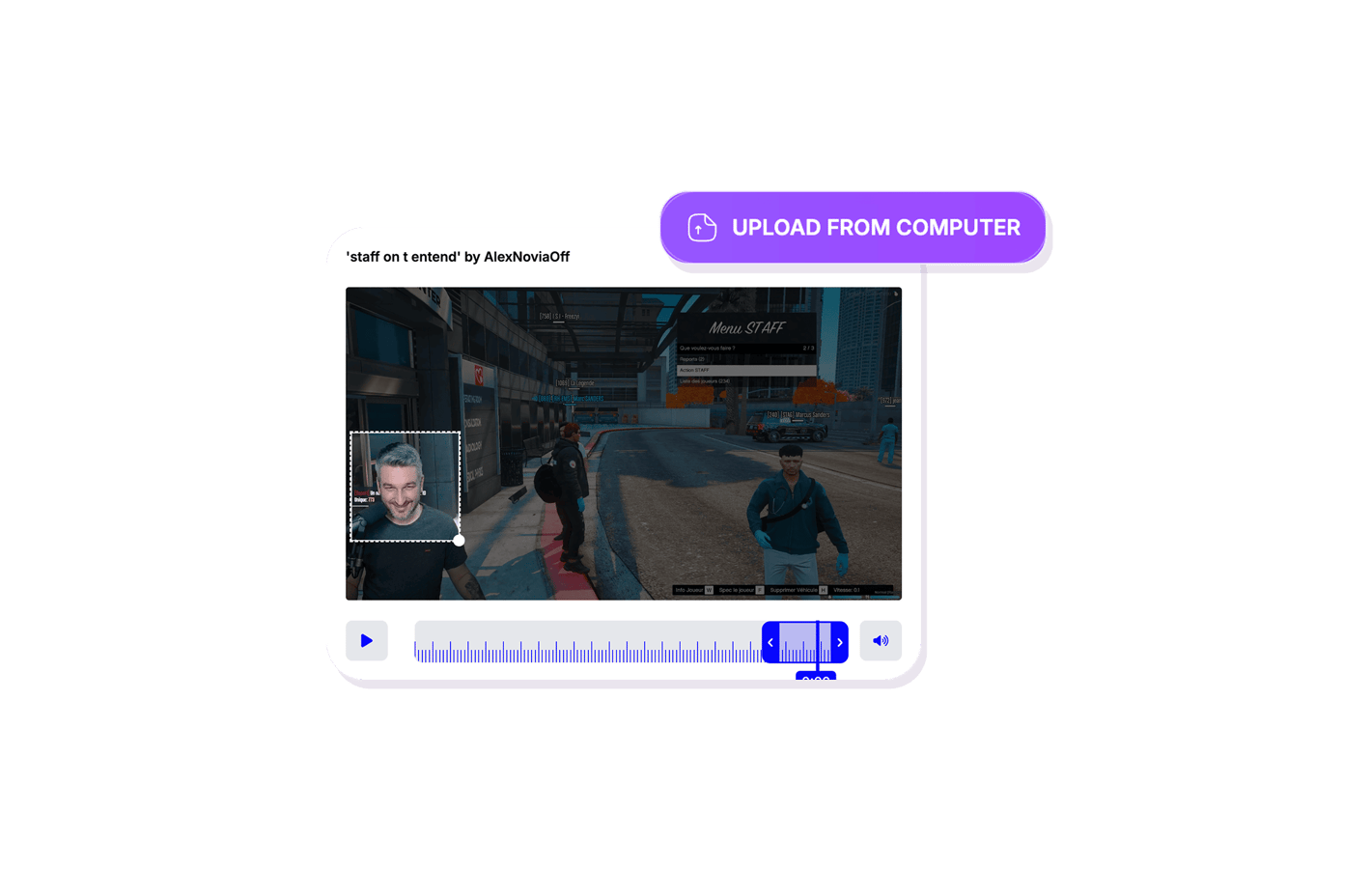
Paste a Twitch clip URL or upload a video file. The Emote Maker loads the full footage so you can browse every frame.
02
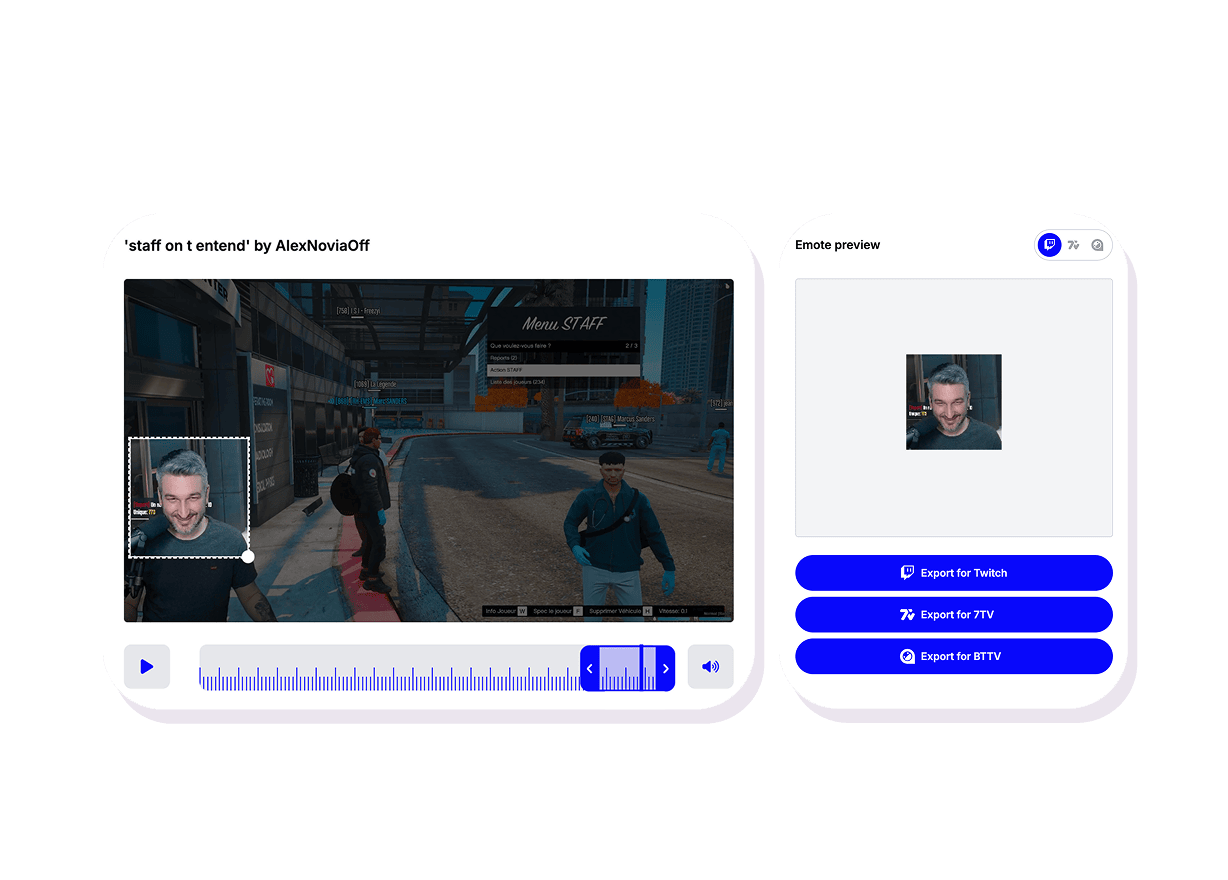
Scrub to the perfect frame
Drag through the timeline to find the exact moment - a funny reaction, a clutch play, an inside joke. That single frame becomes your emote.
03
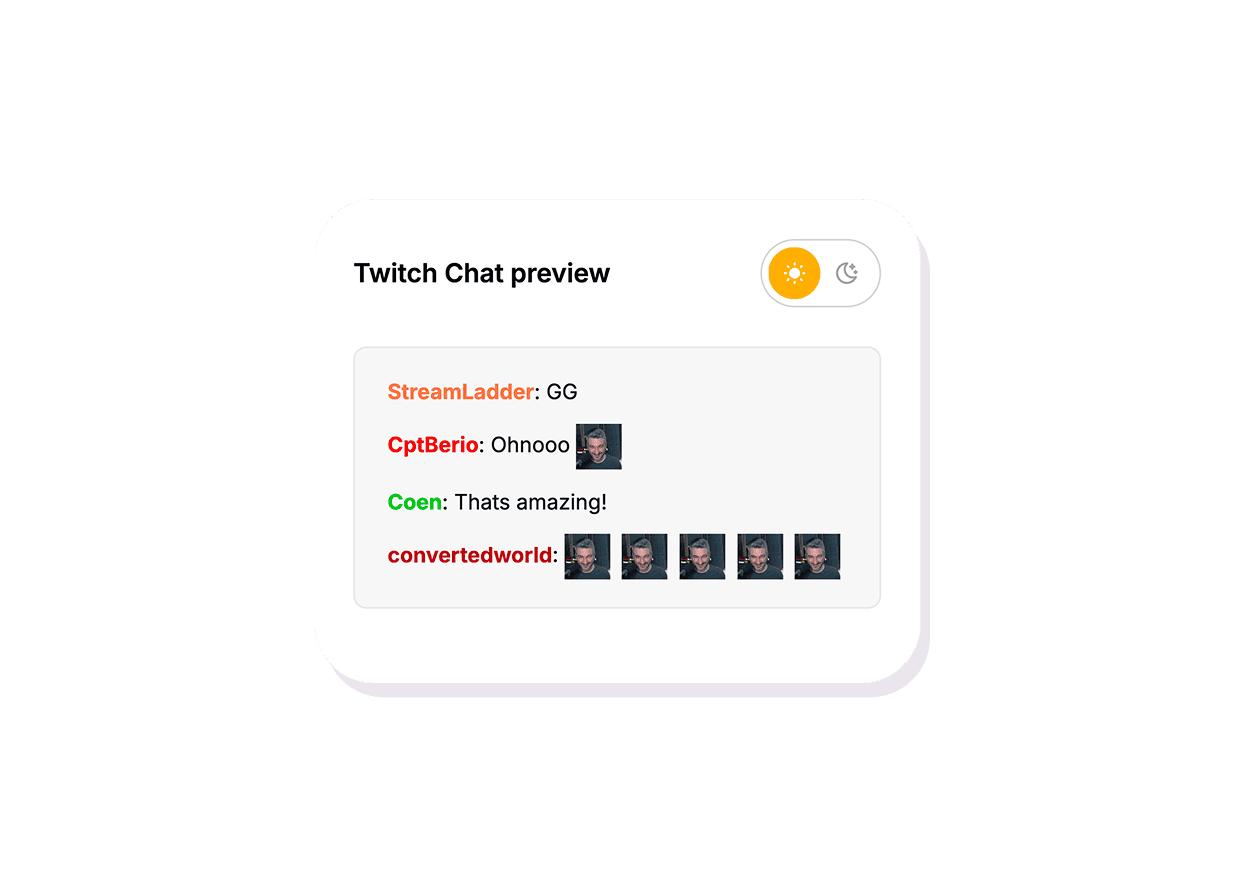
Preview in Twitch Chat
See how the emote looks at chat size in a live Twitch Chat mock-up. Switch between light and dark mode to make sure it reads well everywhere.
Emote Maker
Create channel emotes from your clips
Paste a clip URL or upload a video, scrub to the perfect frame, and preview it in Twitch Chat before you save. No Photoshop needed.
No design skills required
Just pick a frame from your clip. No Photoshop, no drawing, no layers - StreamLadder handles the rest.
Live Twitch Chat preview
See exactly how your emote looks at chat size in light and dark mode before you commit.
Works with any clip
Paste a Twitch clip URL or upload a video from your device. Scrub through every frame to find the perfect one.
Explore Emote Maker features
11 million clips made by 1 million streamers
Real clips made by real creators using StreamLadder - totalling over a hundred million views.
AhmetZone
Kai Standing Next To Basketball Players

@SomethingAboutChickens
Something About Chickens
Original sound · SomethingAboutChickens
AhmetZone
LIL BRO

@Stormwynne
EVIL DEER - Pumpkin Panic
Original sound · Stormwynne
JKPlays
guess my IQ

@Bobby Plays
COD Points the cheap way
Original sound · Bobby Plays
TheJuiceDen
xQc Reacts to LEGO Car VS. Growing Wall

Ubietoo
Greatest goal ever scored
Original sound · Ubietoo
TheJuiceDen
Divorce any% Speedrun

@Payzren
Mistaken for a voice actor
Original sound · Payzren
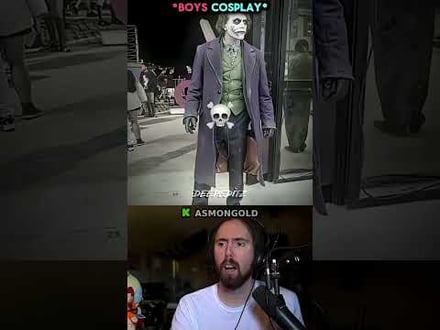
AsmonEnjoyer
Girls Cosplays VS Boys Cosplays

@Shaafes_
Hilarious Extraction Fail
Original sound · Shaafes_
AhmetZone
Kai Standing Next To Basketball Players
@SomethingAboutChickens
Something About Chickens
Original sound · SomethingAboutChickens
AhmetZone
LIL BRO
@Stormwynne
EVIL DEER - Pumpkin Panic
Original sound · Stormwynne
JKPlays
guess my IQ
@Bobby Plays
COD Points the cheap way
Original sound · Bobby Plays
TheJuiceDen
xQc Reacts to LEGO Car VS. Growing Wall
Ubietoo
Greatest goal ever scored
Original sound · Ubietoo
TheJuiceDen
Divorce any% Speedrun
@Payzren
Mistaken for a voice actor
Original sound · Payzren
AsmonEnjoyer
Girls Cosplays VS Boys Cosplays
@Shaafes_
Hilarious Extraction Fail
Original sound · Shaafes_
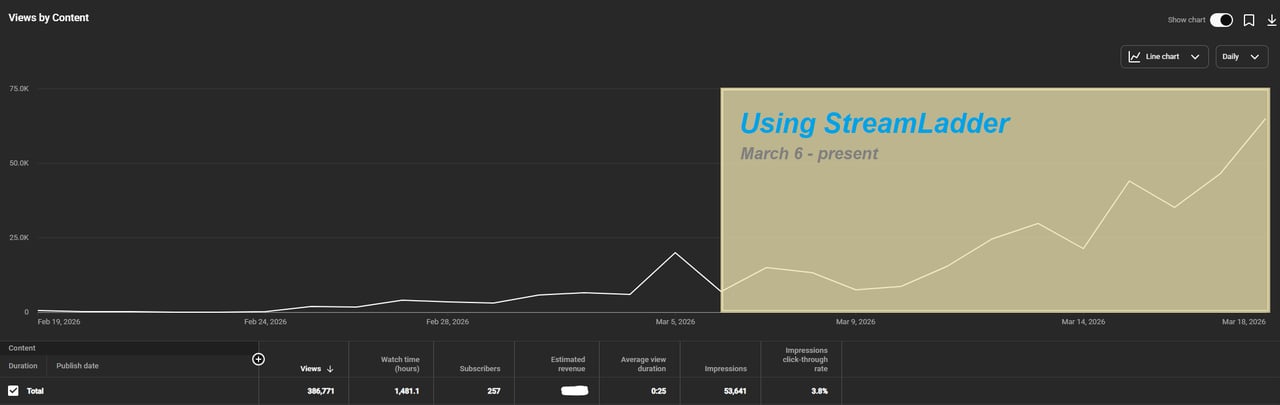
"StreamLadder's ClipGPT actually knows what clips will go viral. 48% of my sub growth from shorts was within just the last 2 weeks."

Bokaj392

SmoothestMango
Vohan

Supersonic540
NotAllergicToShrimp
that_noel
MADeightysix
Roman Gambit

Loïc Lacourt - Lo_Level31

BigTaffMan

JibbletGibbler
Richatat

Kanchi64

BigBadWolf19722
nathan_the_mad
KatsforKiowa
Da_Gipfla

killadillag_tav

Dennabeast

RealMikeTheVike
https://youtube.com/@sidechopper
BIGEXAMPL

HistoryGangster
PunkRockNova
ItsJustFreshh
Bia Bunny

Christopher Dutcher
Crunchess
daizy
Damond Rickson
RiotEmpress
Nixie

KeithLovesGaming
daizy
kevin laderriere
Rulaxalt

Metaodos

Echozday
zerofaith/kick.com

ZBMBLive

https://www.twitch.tv/bsc_rio
twitch.tv/masterjoful
youtube.com/thestizzness
tiktok.com/@captainquain
DoubleNexus
https://www.twitch.tv/itzbuddytv
https://www.twitch.tv/dice_gaminggbr
Twitch.tv/daddymacgaming50474
www.twitch.tv/ishigonite

https://www.twitch.tv/gemstonelive
Bokaj392
SmoothestMango
Vohan
Supersonic540
NotAllergicToShrimp
that_noel
MADeightysix
Roman Gambit
Loïc Lacourt - Lo_Level31
BigTaffMan
JibbletGibbler
Richatat
Kanchi64
BigBadWolf19722
nathan_the_mad
KatsforKiowa
Da_Gipfla
killadillag_tav
Dennabeast
RealMikeTheVike
https://youtube.com/@sidechopper
BIGEXAMPL
HistoryGangster
PunkRockNova
ItsJustFreshh
Bia Bunny
Christopher Dutcher
Crunchess
daizy
Damond Rickson
RiotEmpress
Nixie
KeithLovesGaming
daizy
kevin laderriere
Rulaxalt
Metaodos
Echozday
zerofaith/kick.com
ZBMBLive
https://www.twitch.tv/bsc_rio
twitch.tv/masterjoful
youtube.com/thestizzness
tiktok.com/@captainquain
DoubleNexus
https://www.twitch.tv/itzbuddytv
https://www.twitch.tv/dice_gaminggbr
Twitch.tv/daddymacgaming50474
www.twitch.tv/ishigonite
https://www.twitch.tv/gemstonelive
FAQ
Frequently asked questions
Any Twitch clip URL or uploaded video file. The tool loads the footage and lets you scrub through every frame to find the one you want.
Yes - there is a built-in Twitch Chat preview in both light and dark mode so you can see exactly how the emote looks at chat size before exporting.
No. You just pick a frame from your clip. There is no drawing, no layers, and no Photoshop involved.
Yes - you can upload any video file from your device. It works the same way: scrub through the footage and pick a frame.